FrontRow by Boxlight Technology
Campus Communication Systems for Connected, Safe, and Accessible Schools
Unified IP-based communication that connects every classroom, hallway, and outdoor space through bells, paging, intercom, emergency alerts, and visual notification — managed from a single platform.
The Communication Problem
Five Systems. Zero Coordination. Every School.
Morning announcements crackle through an aging PA system. Some classrooms hear them clearly. Some hear static. Some hear nothing at all. Teachers repeat what their students missed. The office fields calls about a schedule change that half the building never received. A substitute teacher can't reach the front desk because no one showed her how to use the wall intercom — and the intercom in her room doesn't work anyway.
This isn't a technology failure. It's an infrastructure gap. Most schools communicate through systems that were never designed to work together — analog PA speakers, separate bell controllers, standalone phone systems, email, walkie-talkies, and emergency tools that only get tested once a year. Each one handles a narrow function. None of them talk to each other.
The result is a communication environment held together by workarounds. And workarounds fail when they matter most.
Who Feels It Most
The Cost of Fragmented Communication — by Role
Communication breakdowns don't affect everyone the same way. But they affect everyone.
Administrators & PrincipalsTime consumed by manual communication workarounds — repeating announcements, fielding calls, chasing down staff who missed a message. No way to confirm whether a page was actually heard. Schedule changes require multiple steps across multiple systems. Liability exposure grows every day emergency communication depends on tools that haven't been tested or updated. | TeachersInstruction interrupted by unclear or garbled announcements. Students miss schedule changes because the PA was inaudible or the teacher was mid-lesson. No fast, reliable way to reach the office during an urgent situation without leaving the classroom or pulling out a personal phone. Teachers become the communication workaround — absorbing time that should go to instruction. |
IT DirectorsMultiple disconnected systems — PA, bells, phone, emergency notification — each with its own management console, vendor, and maintenance cycle. No centralized visibility into what's working and what isn't. Aging analog infrastructure that can't be configured or updated remotely. Every new communication need adds another tool, another vendor, another support contract. | Facilities & OperationsMaintaining aging 70-volt PA amplifiers and bell controllers that require on-site hardware changes for every schedule adjustment. Outdoor speaker coverage gaps that leave bus lines, playgrounds, and athletic fields unreachable during emergencies. Zone changes that require rewiring instead of a software update. Constant pressure to keep patching legacy infrastructure because replacement budgets haven't materialized — while the systems they're maintaining drift further from code compliance. |
Safety Coordinators & SROsNo unified way to reach every space simultaneously through both audio and visual channels. Alert systems that staff don't practice with daily — because the emergency tools are separate from the tools they actually use. Lockdown protocols that depend on manual steps, memorized codes, and equipment in rooms that may or may not be functional. Every gap in coverage is a gap in response time. | Students with Hearing or Vision DifferencesAudio-only announcements exclude students with hearing loss. Visual-only alerts miss students with vision impairments. In most schools, critical communication travels through a single channel — audio — leaving an entire population dependent on someone nearby to relay the message. Federal law (Section 504, ADA, IDEA) requires equitable access to emergency information. A modern system must reach every student through both channels simultaneously — not as an accommodation, but as a baseline design principle. |
When communication is fragmented, even well-designed safety protocols break down — not because the plan is wrong, but because the infrastructure can't deliver it.

How It Works
What a Modern Campus Communication System Does
Key Concept
A unified campus communication system replaces disconnected tools with a single IP-based platform that manages bells, paging, intercom, announcements, and emergency alerts from one interface. It delivers messages through both audio and visual channels simultaneously — reaching every person in every space, including those with hearing or vision differences.
A modern system doesn't just replace the PA. It connects daily operations and emergency response through the same infrastructure — so staff communicate through tools they already know.
Bells & SchedulingAutomated bell schedules managed through software — not hardware timers. Adjust for assemblies, half-days, testing schedules, and weather delays in seconds. Publish changes instantly across an entire building or district without rewiring or reprogramming individual controllers. | Paging & AnnouncementsLive or pre-recorded announcements delivered to the entire campus, specific zones, or individual rooms. Zone-based messaging ensures each area receives relevant information. Pre-recorded messages free principals to be present on campus instead of tied to a microphone. |
Two-Way IntercomClassroom-to-office and room-to-room communication without leaving the room. Teachers reach the office instantly during an urgent situation. Administrators confirm messages were received. Private conversations stay private — no building-wide broadcast required. | Emergency Alerts & LockdownOne-touch activation of pre-programmed emergency protocols — lockdown, evacuation, shelter-in-place, severe weather. Automated actions trigger simultaneously: audio alerts, visual notifications on displays, door locks, and first responder notification. No memorized codes. No manual steps under pressure. |
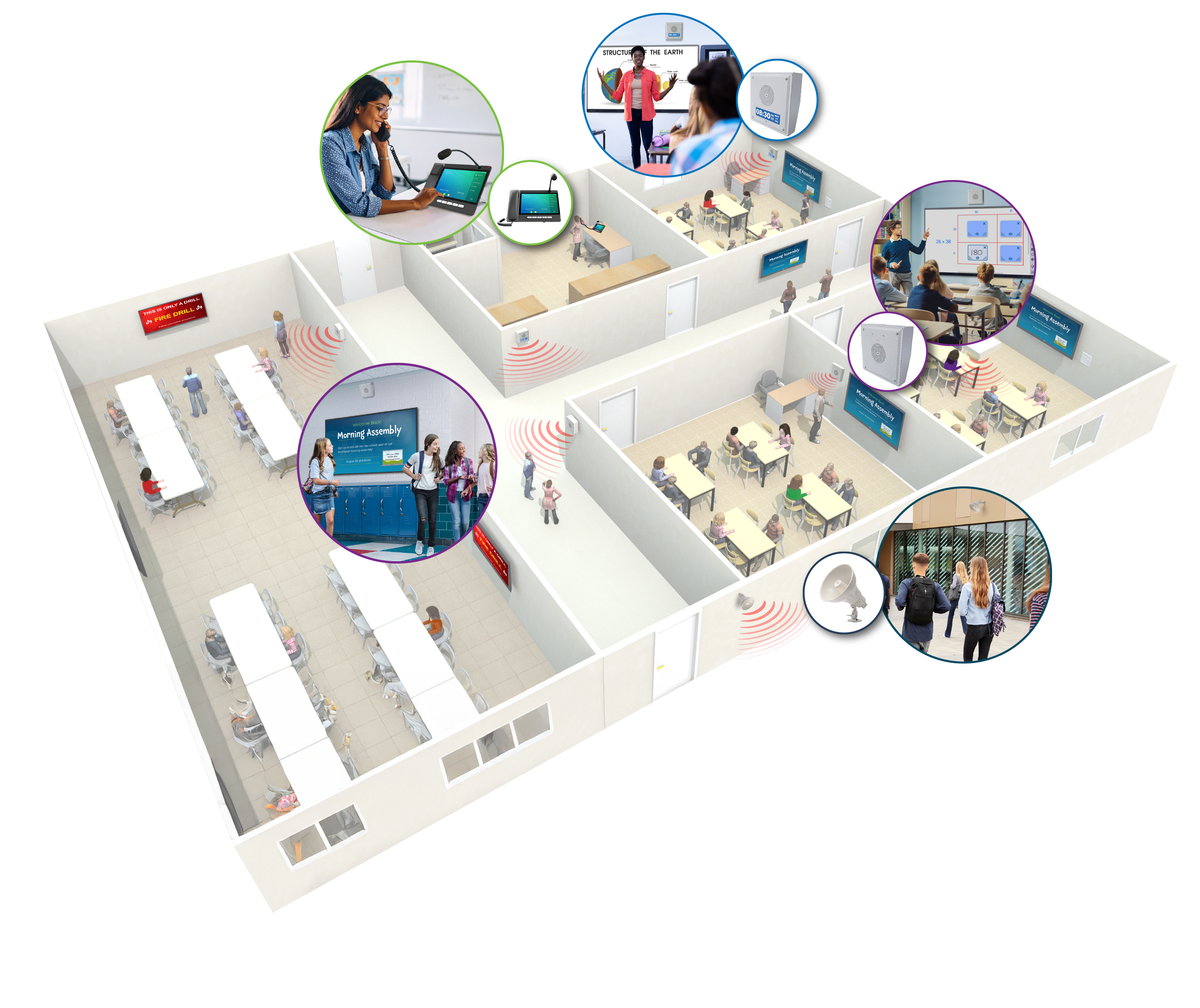
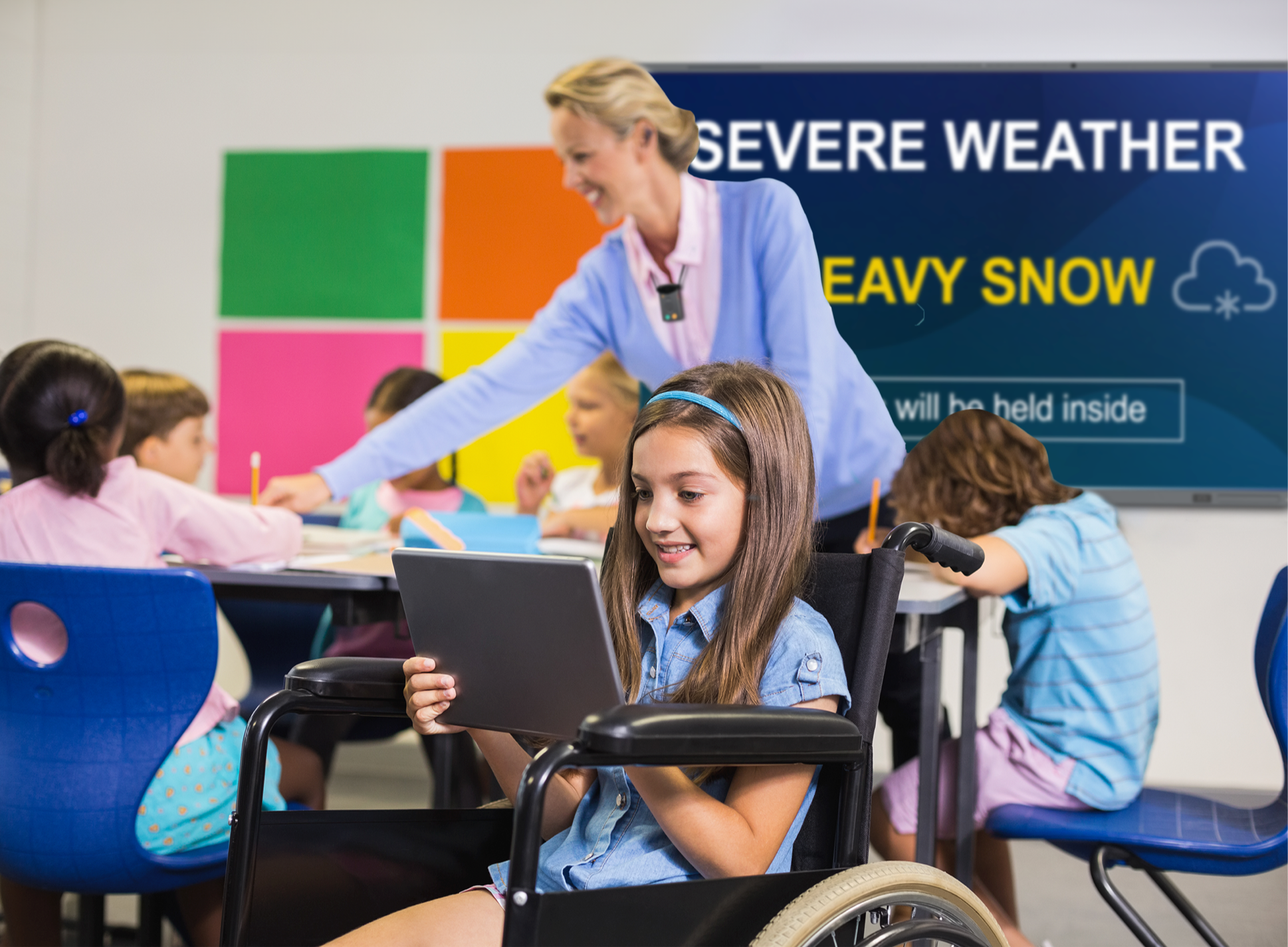
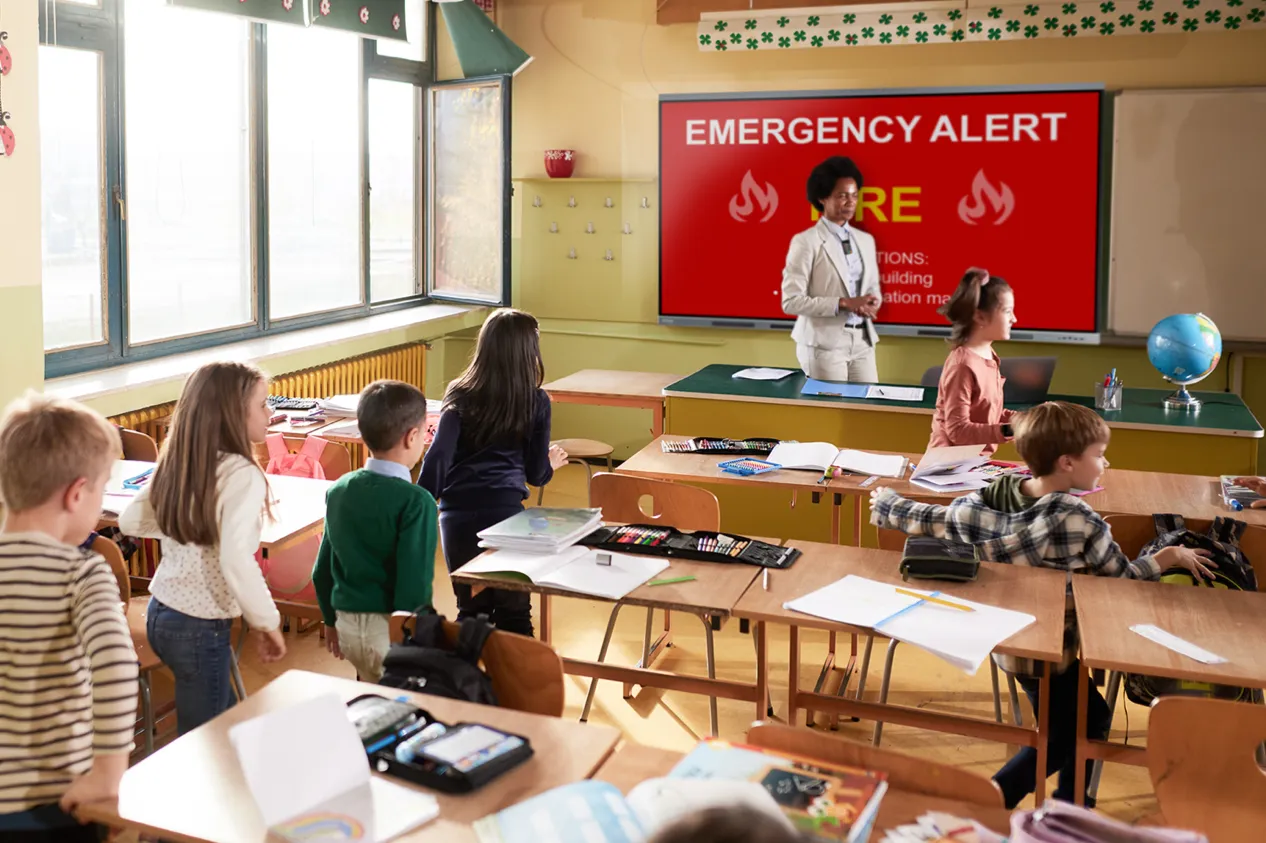
Multimodal Delivery — Audio + VisualEvery message travels through both audio and visual channels simultaneously. Speakers deliver sound. Interactive displays, digital signage, and in-classroom screens show the same message visually. Students and staff with hearing differences read alerts as they happen. Those with vision differences hear them. No one depends on a single channel. | Accessibility as InfrastructureEquitable access to campus communication is not a feature — it is an architecture requirement. Section 504, ADA, and IDEA mandate that emergency information reach all students. A system built on multimodal delivery meets this requirement by design, not by accommodation request. RGB visual indicators, on-screen alerts, and integrated captioning ensure no student is excluded. |
Zone-Based MessagingDeliver location-specific instructions so each wing, floor, or building receives guidance tailored to its situation. During an emergency, zone control means different areas can receive different directives — evacuate one wing while sheltering another — without building-wide confusion. | Centralized ManagementOne browser-based interface manages bells, paging, intercom, alerts, and device configuration across a building or an entire district. IT maintains a single system instead of five. Changes propagate instantly without truck rolls or on-site reprogramming. Real-time visibility into what's connected, what's active, and what needs attention. |

Why Schools Choose FrontRow
Pioneering IP-Based Communication for Schools Since Day One
FrontRow was among the first companies to bring IP-based communication to K–12 schools — replacing analog PA infrastructure with software-managed, network-native platforms long before the rest of the industry caught up.
That head start matters. Thousands of schools already run their daily communication on FrontRow platforms. Bells, paging, intercom, and emergency alerts operate through systems refined across real school environments — not lab demos.
FrontRow campus communication is part of the broader Boxlight ecosystem. When paired with Clevertouch interactive displays and digital signage, FrontRow audio becomes a multimodal communication infrastructure that reaches every person through both audio and visual channels — a capability no single-product vendor can match.
The Platform
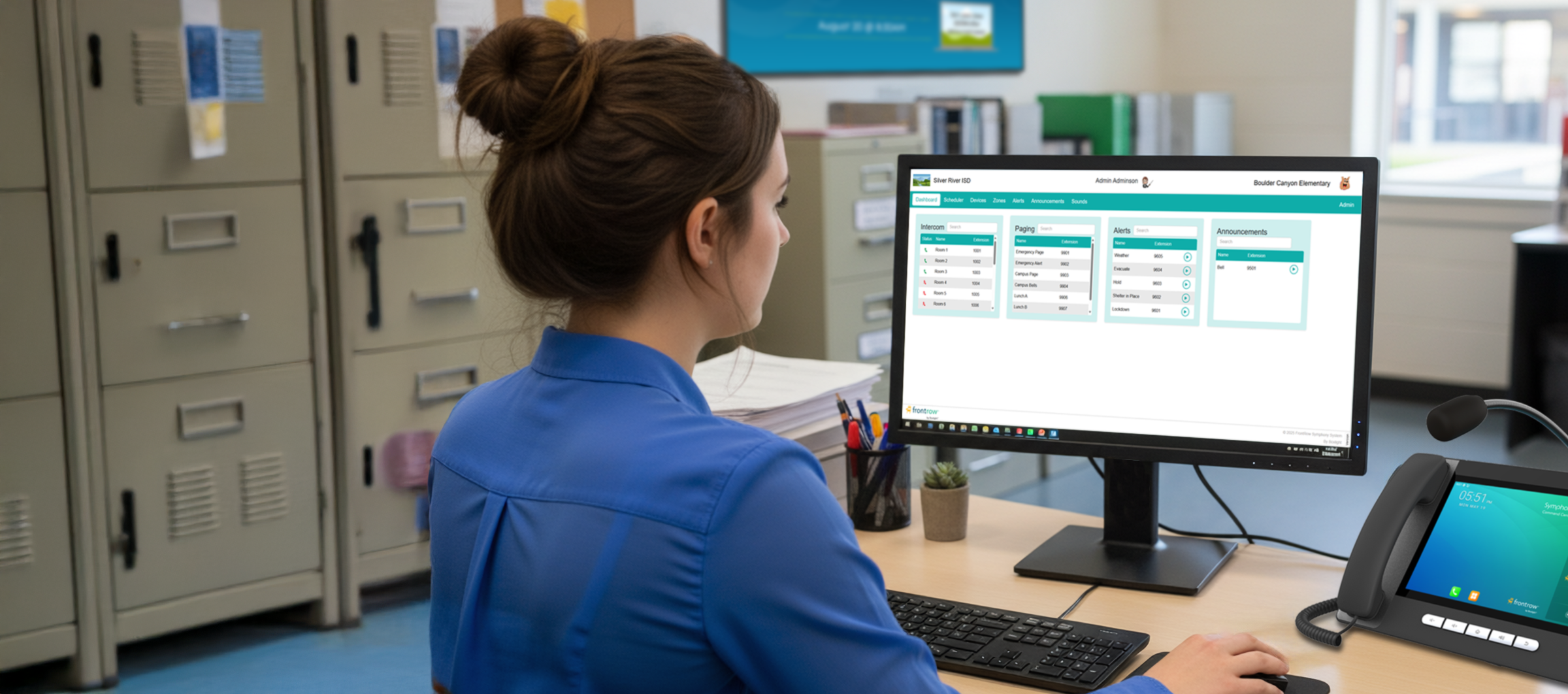
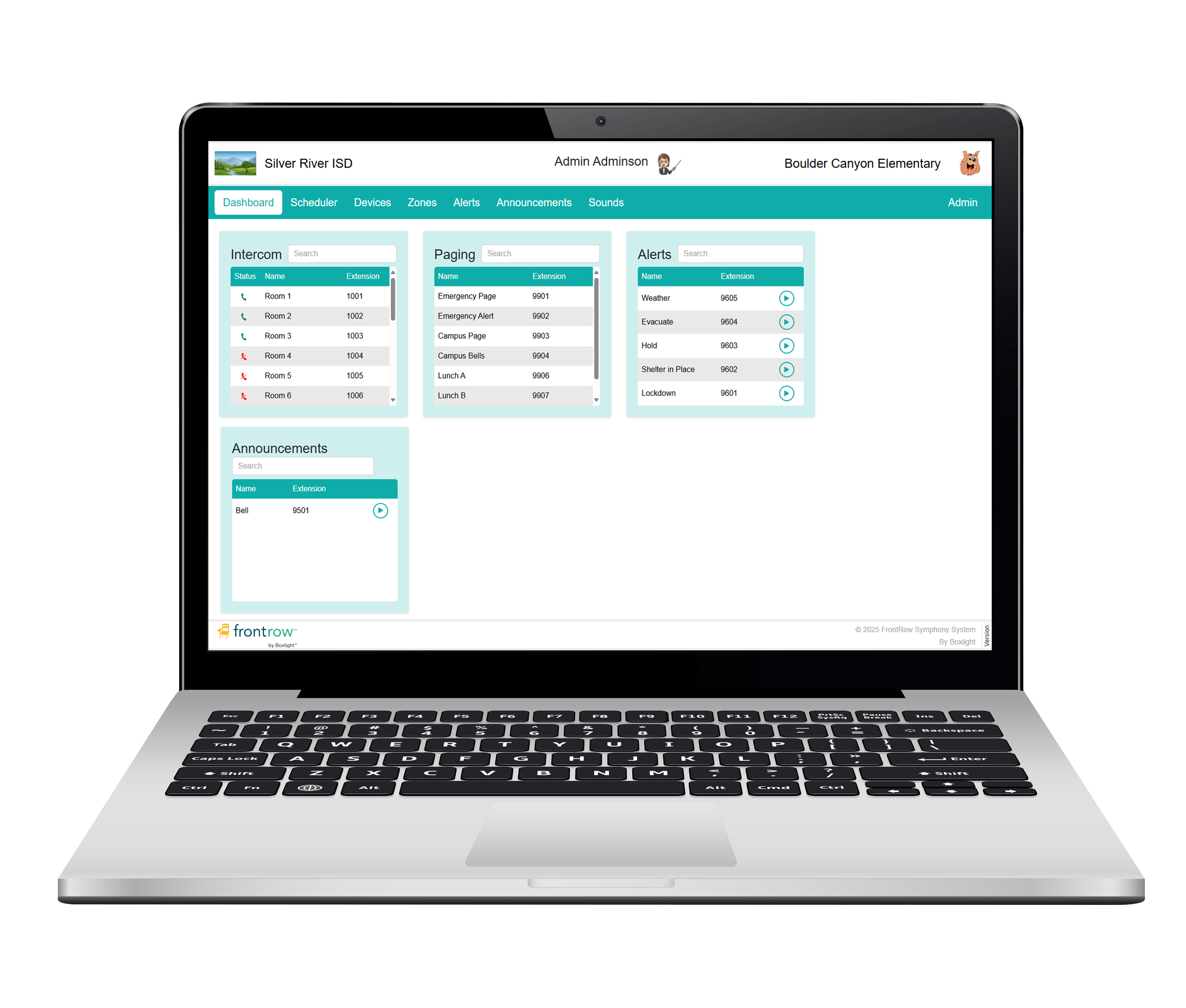
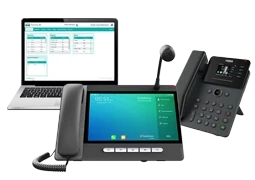
Boxlight SymphonySymphony is a modern, IP-native campus communication platform that unifies bells, paging, intercom, announcements, and emergency alerts under a single browser-based interface. It runs on your existing school network using standard SIP and multicast protocols — no proprietary hardware required. From the Symphony Command Center, staff manage daily operations and emergency response from one touchscreen. Create and update bell schedules in seconds. Page any zone or the entire campus. Initiate a lockdown with one button press that triggers automated audio alerts, visual notifications, and pre-programmed response actions simultaneously. Symphony scales from a single building to an entire district — with centralized management, real-time device visibility, and the ability to deploy updates across every endpoint without leaving the office. | 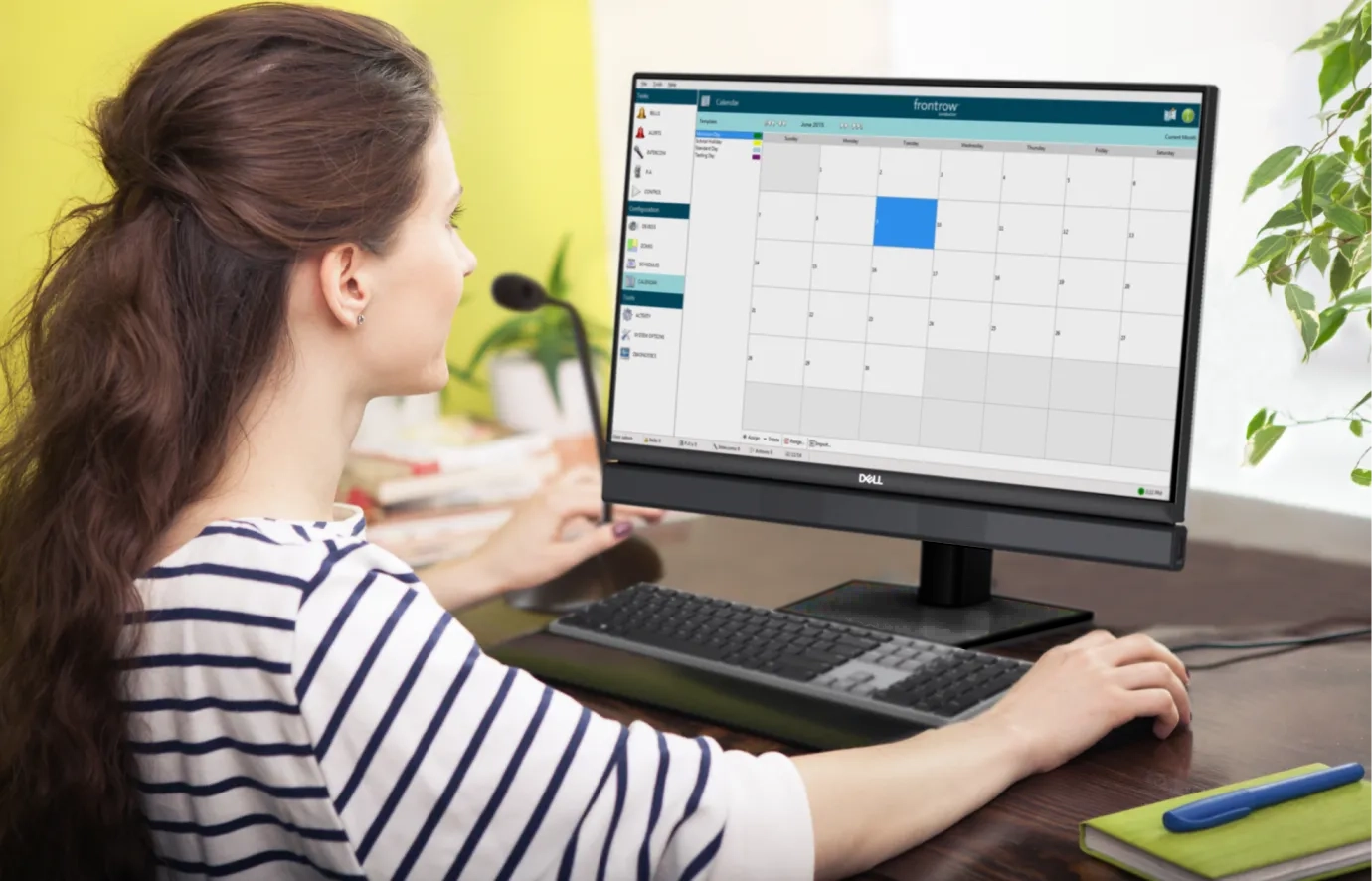 Core Capabilities Bell scheduling · Live & pre-recorded paging · Two-way intercom · Zone management · Emergency alerts & lockdown automation · Visual notification via displays · Browser-based administration · District-wide scalability |
Audio + Visual Alerting
.webp) | ATTENTION!Simultaneous Audio & Visual Communication ATTENTION! is the integration layer that connects FrontRow audio with Boxlight's Clevertouch interactive displays, Mimio panels, and CleverLive digital signage — delivering announcements, bells, and alerts as both audio and on-screen visual messages simultaneously. When an emergency alert is triggered through Symphony or Conductor, ATTENTION! pushes synchronized audio and visual notifications to every endpoint in the building — classroom speakers, hallway displays, interactive panels, and mobile devices. Students with hearing differences see the alert. Students with vision differences hear it. No one is left out. This is what makes the Boxlight ecosystem different from standalone communication products. Audio and visual aren't separate systems bolted together — they're natively integrated through ATTENTION!, managed from a single platform. |
Proven Foundation
FrontRow ConductorConductor is the IP-based campus communication platform that thousands of schools already rely on for daily bells, paging, intercom, and emergency notification. It is the proven foundation of FrontRow's campus communication heritage — battle-tested across years of real-world deployment. From the Conductor Admin Station, staff manage communication zones with a few mouse clicks, pre-record daily announcements, and activate emergency protocols that trigger automated audio alerts, display messaging, and door controls simultaneously. Zone changes that once required rewiring now take seconds. Schools running Conductor today have a clear upgrade path to Symphony when they're ready — protecting existing investments while gaining access to the next generation of campus communication capabilities. | 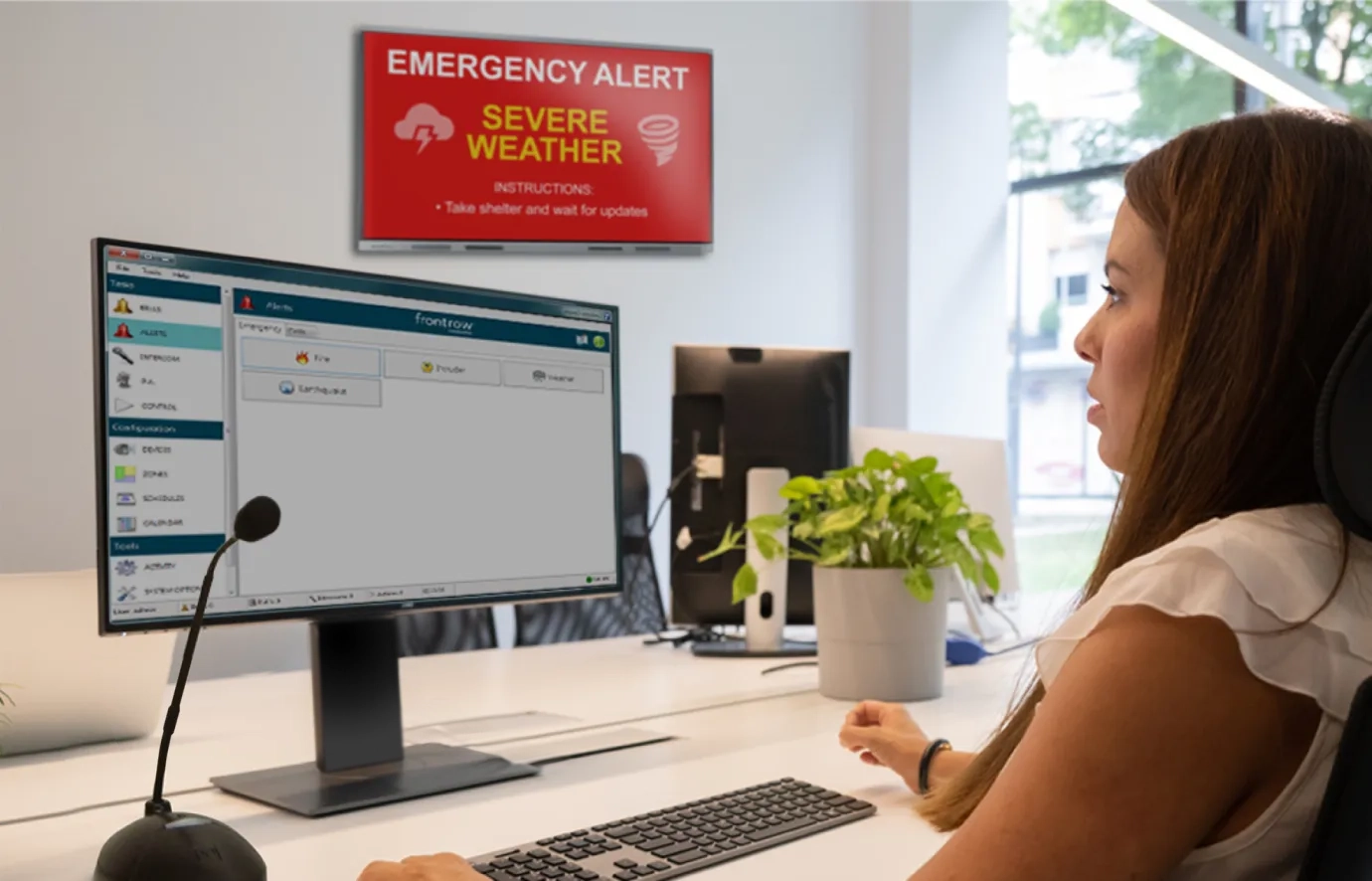 |
Visual Communication
FrontRow TimeSignTimeSign is a 21.5-inch classroom digital display that delivers far more than a clock. Powered by CleverLive, it displays scheduled and on-demand visual notifications — daily announcements, schedule alerts, event reminders, and emergency messages — directly in the classroom. When integrated with Symphony or Conductor, TimeSign becomes a visual communication endpoint. Emergency alerts appear on-screen while audio alerts play through classroom speakers — ensuring multimodal delivery reaches every student in the room. Affordable enough for every classroom. Managed centrally through CleverLive. TimeSign gives districts a visual communication layer without the cost of full interactive displays in every room. | 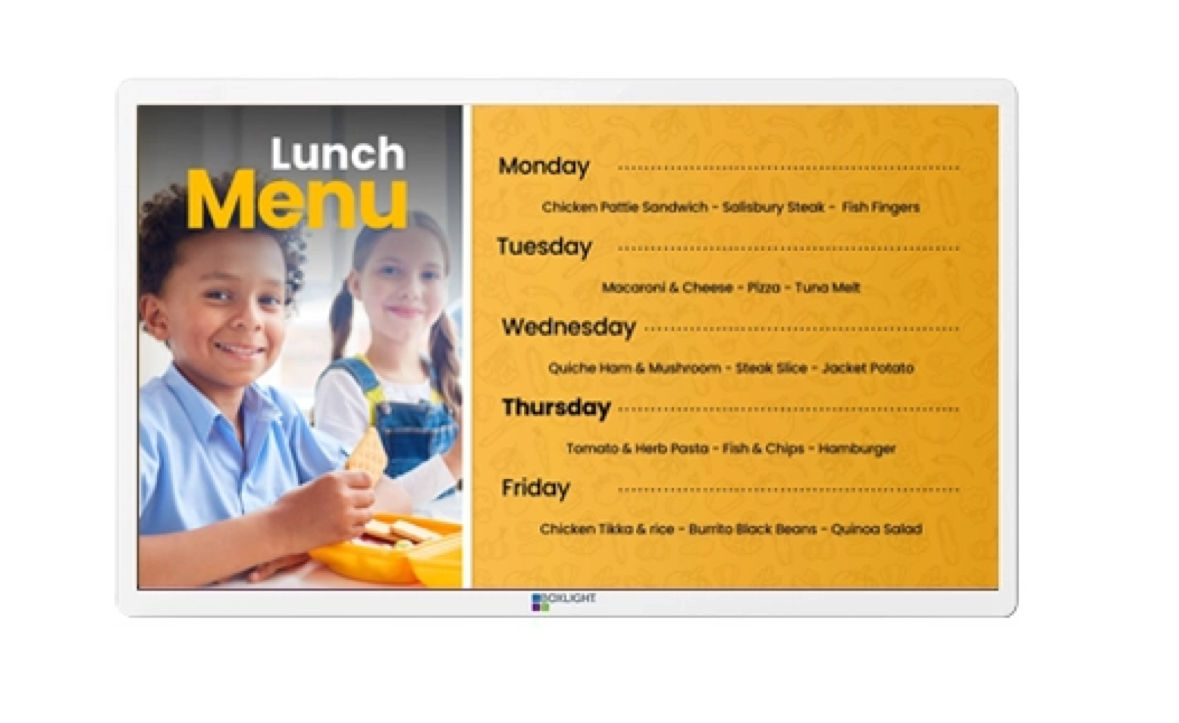 .webp) |
The Classroom Connection
Every Classroom Speaker Is a Campus Communication Endpoint
FrontRow classroom audio systems don’t just amplify the teacher’s voice. When connected to Symphony or Conductor, they become networked communication endpoints — delivering bells, paging, intercom, and emergency alerts through the same speakers students hear instruction from every day.
This means campus communication doesn’t require separate hallway speakers in classrooms that already have FrontRow audio. UNITY Campus, ezRoom, and Juno Connect each integrate natively — extending campus-wide communication into every instructional space without additional hardware.
Safety communication works best when it travels through familiar tools. Staff and students respond faster to alerts delivered through the same system they hear every day — because they already know and trust the channel.
Buying Guide Evaluating Campus Communication Systems?The Campus Communication System Buying Guide covers paging, bells, intercom, emergency notification, and evaluation criteria for K–12 environments. | Read the Guide |
Funding Opportunity
Campus Communication Systems Qualify for Safety Grants
Because campus communication and emergency alerting systems support school safety, many Boxlight solutions qualify for state and federal safety-related grants — including COPS SVPP, Alyssa's Law programs, STOP School Violence Act funding, and state-specific school safety allocations. The Boxlight Grants Assistance Program provides free, personalized support to help districts identify, plan, and apply for funding.
Connect with a Communication Specialist
Whether you're replacing an aging PA system, unifying campus communication for a single building, or deploying a district-wide platform, our team can help you evaluate options, plan deployment, and identify funding sources.
Frequently Asked Questions
What is a campus communication system?
A campus communication system is an IP-based platform that manages bells, paging, intercom, announcements, and emergency alerts from a single interface. It replaces disconnected analog tools — standalone PA systems, hardware bell timers, separate emergency notification systems — with unified, software-managed communication that reaches every space on campus through audio and visual channels.
What is the difference between Symphony and Conductor?
Both are IP-based campus communication platforms from FrontRow. Conductor is the established platform already deployed in thousands of schools worldwide, providing proven bells, paging, intercom, and emergency notification. Symphony is the next-generation platform built on modern SIP and multicast protocols with an updated browser-based interface, enhanced scalability, and expanded integration capabilities. Schools running Conductor have a clear upgrade path to Symphony.
What is ATTENTION! and how does it work?
ATTENTION! is the integration capability that connects FrontRow audio with Boxlight's Clevertouch interactive displays, Mimio panels, and CleverLive digital signage. When an alert or announcement is triggered through Symphony or Conductor, ATTENTION! delivers synchronized audio and visual notifications to every endpoint simultaneously. This ensures that students and staff with hearing or vision differences receive emergency communication through both channels.
How does campus communication support accessibility requirements?
Section 504, ADA, and IDEA require equitable access to emergency information for all students, including those with hearing or vision differences. FrontRow systems address this through multimodal delivery — every message travels through both audio and visual channels simultaneously. RGB light rings on endpoints provide visual indicators. ATTENTION! pushes on-screen alerts to interactive displays and digital signage. This meets accessibility requirements by design, not by individual accommodation request.
Can FrontRow classroom audio systems connect to campus communication?
Yes. UNITY Campus, ezRoom, and Juno Connect integrate natively with Symphony and Conductor. Classroom speakers that deliver instructional audio during the day also carry bells, paging, intercom, and emergency alerts — turning every classroom into a campus communication endpoint without additional hardware.
Does campus communication work with our existing network?
Symphony and Conductor run on standard IP networks using SIP and multicast protocols. Most schools can deploy campus communication on their existing network infrastructure. Endpoints connect via standard Ethernet and are powered through PoE (Power over Ethernet), reducing cabling requirements. No proprietary wiring or dedicated communication networks are needed.
How do emergency alerts work?
Emergency protocols are pre-programmed into the system — lockdown, evacuation, shelter-in-place, severe weather, and custom scenarios. When activated from the Command Center, Admin Station, or a teacher's Action! microphone button, the system triggers automated actions simultaneously: audio alerts through speakers, visual alerts on displays, pre-recorded instructions, and optionally door lock commands and first responder notifications. One button press replaces a sequence of manual steps.
Can we manage communication across multiple buildings or a full district?
Yes. Both Symphony and Conductor support multi-building and district-wide deployments. Administrators can manage bell schedules, paging zones, and emergency protocols for every building from a centralized interface. Changes propagate instantly across all connected endpoints without requiring on-site visits.
What is TimeSign?
TimeSign is a 21.5-inch classroom digital display powered by CleverLive that delivers visual notifications — daily announcements, schedule alerts, event reminders, and emergency messages — alongside time-of-day display. When integrated with Symphony or Conductor, TimeSign serves as a visual communication endpoint that pairs with classroom audio for multimodal message delivery.
Do campus communication systems qualify for grant funding?
Yes. Because campus communication and emergency alerting systems directly support school safety, many FrontRow solutions qualify for federal and state safety grants — including COPS SVPP, Alyssa's Law programs, STOP School Violence Act funding, and state-specific school safety allocations. Boxlight offers a free Grants Assistance Program to help districts identify and apply for available funding.
Related Resources
Buying Guide Campus Communication System Buying GuidePaging, bells, intercom, and emergency notification evaluation criteria. | Foundations Unified Campus Communication & OperationsWhy operational reliability is a communication problem before it is a technology problem. | Classroom Audio Classroom Audio Systems for K–12Voice distribution, instructional audio, and the classroom-to-campus connection. |